Pour jouer immédiatement
To play immediately
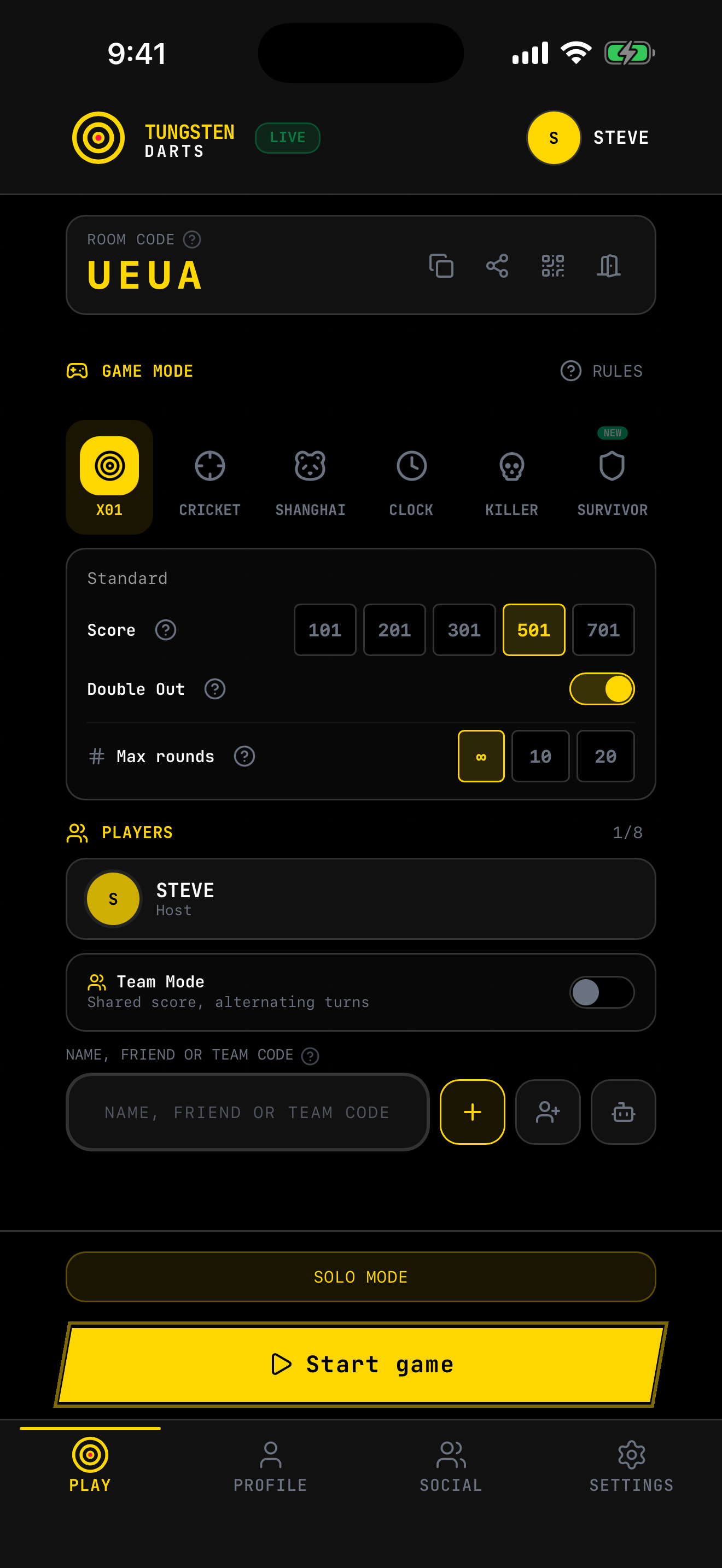
Choisis un mode, ajoute amis, invités ou IA, ou rejoins une partie publique, et lance en quelques secondes.
Choose a mode, add friends, guests or AI, or join a public game, and start in seconds.
Choisis un mode, ajoute amis, invités ou IA, ou rejoins une partie publique, et lance en quelques secondes.
Choose a mode, add friends, guests or AI, or join a public game, and start in seconds.
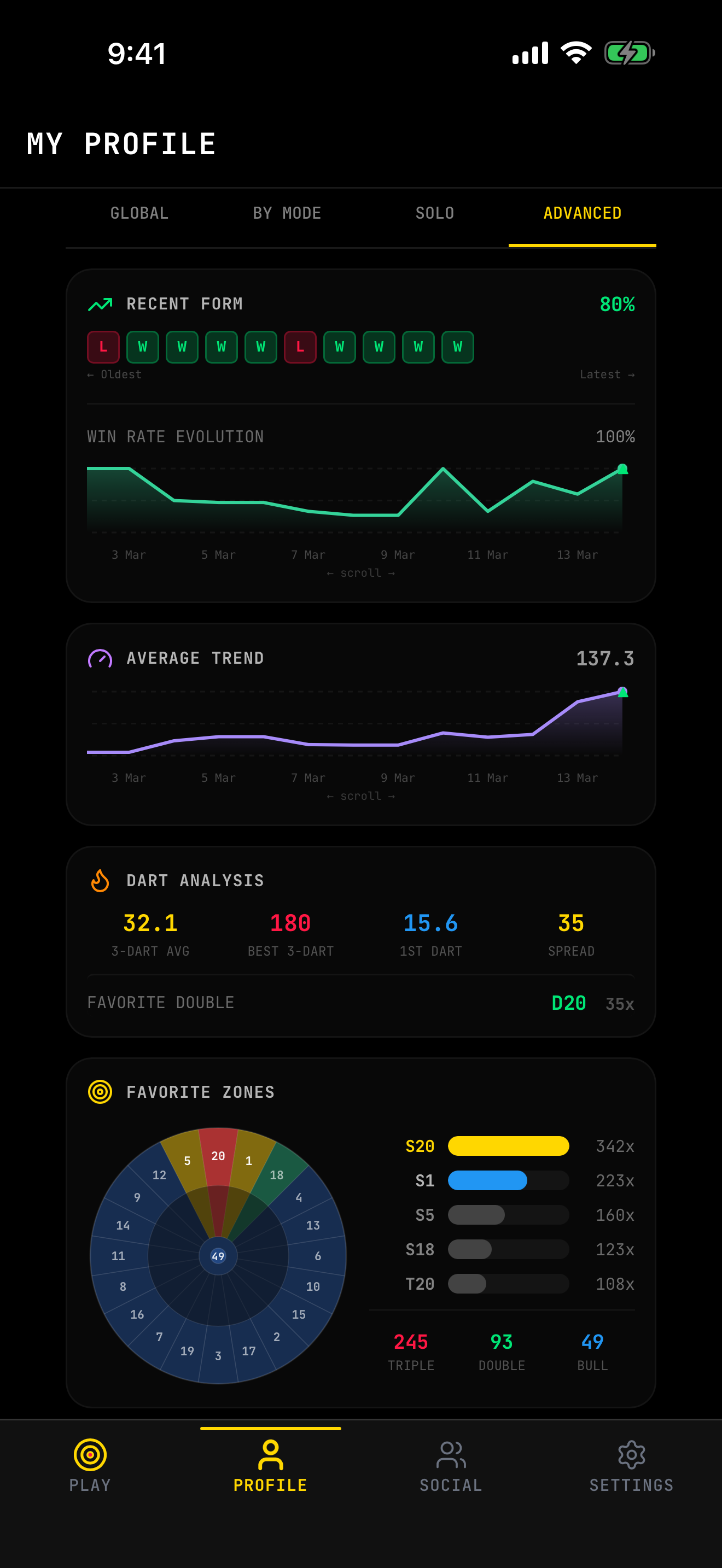
Analyse moyennes, forme récente, checkouts, 180s et zones favorites pour travailler utile.
Analyze averages, recent form, checkouts, 180s and favorite zones to practice with purpose.
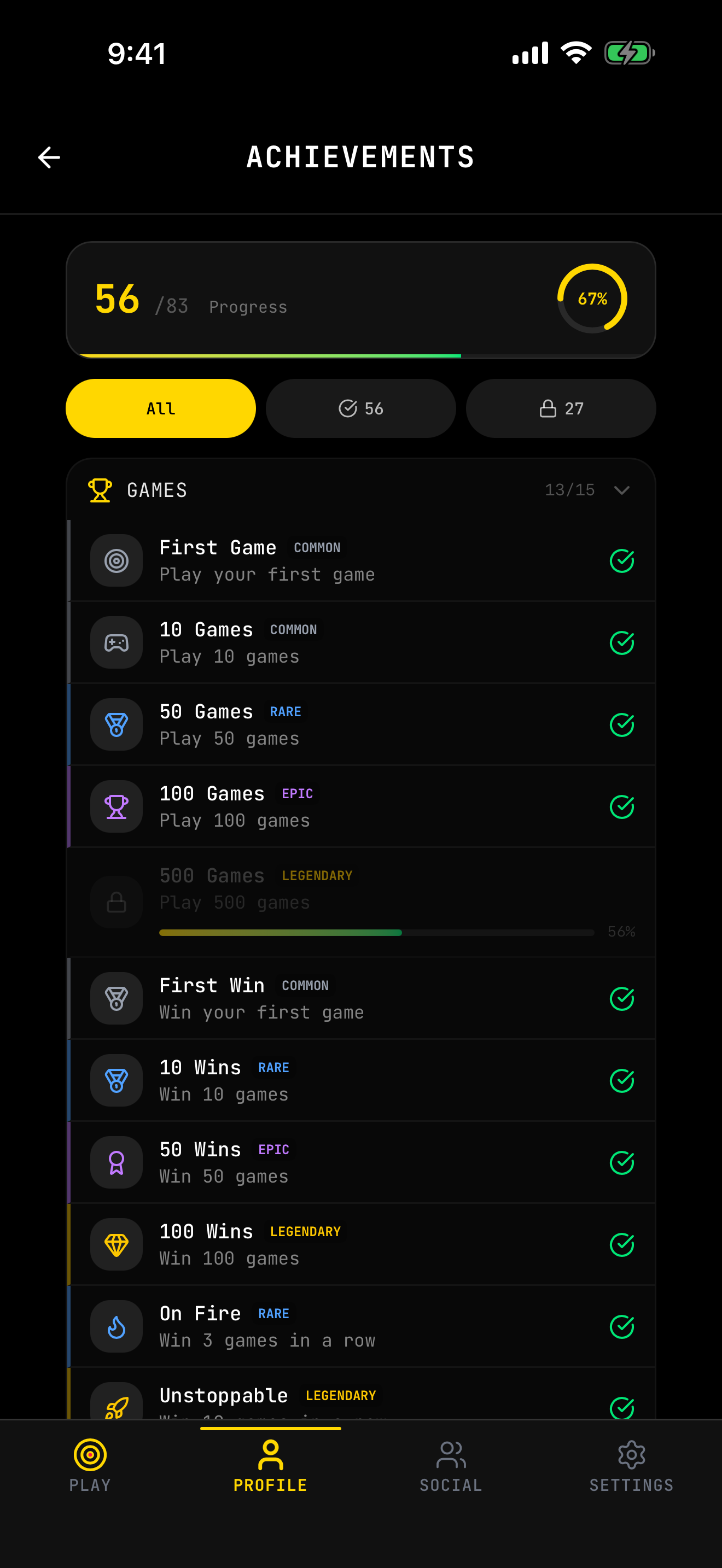
Succès, historique, partage de matchs, profils et social : l'app vit au-delà d'une partie.
Achievements, history, match sharing, profiles and social: useful beyond a single match.
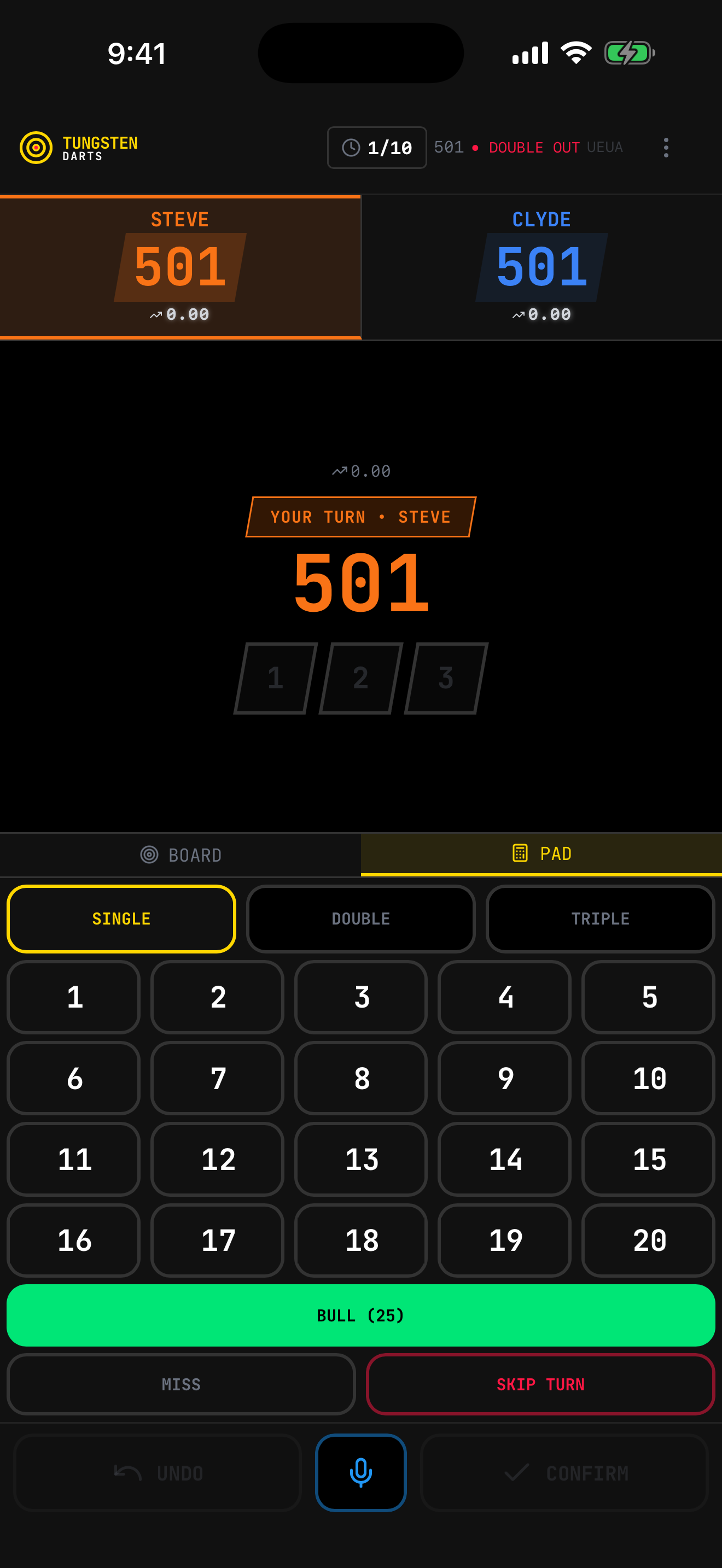
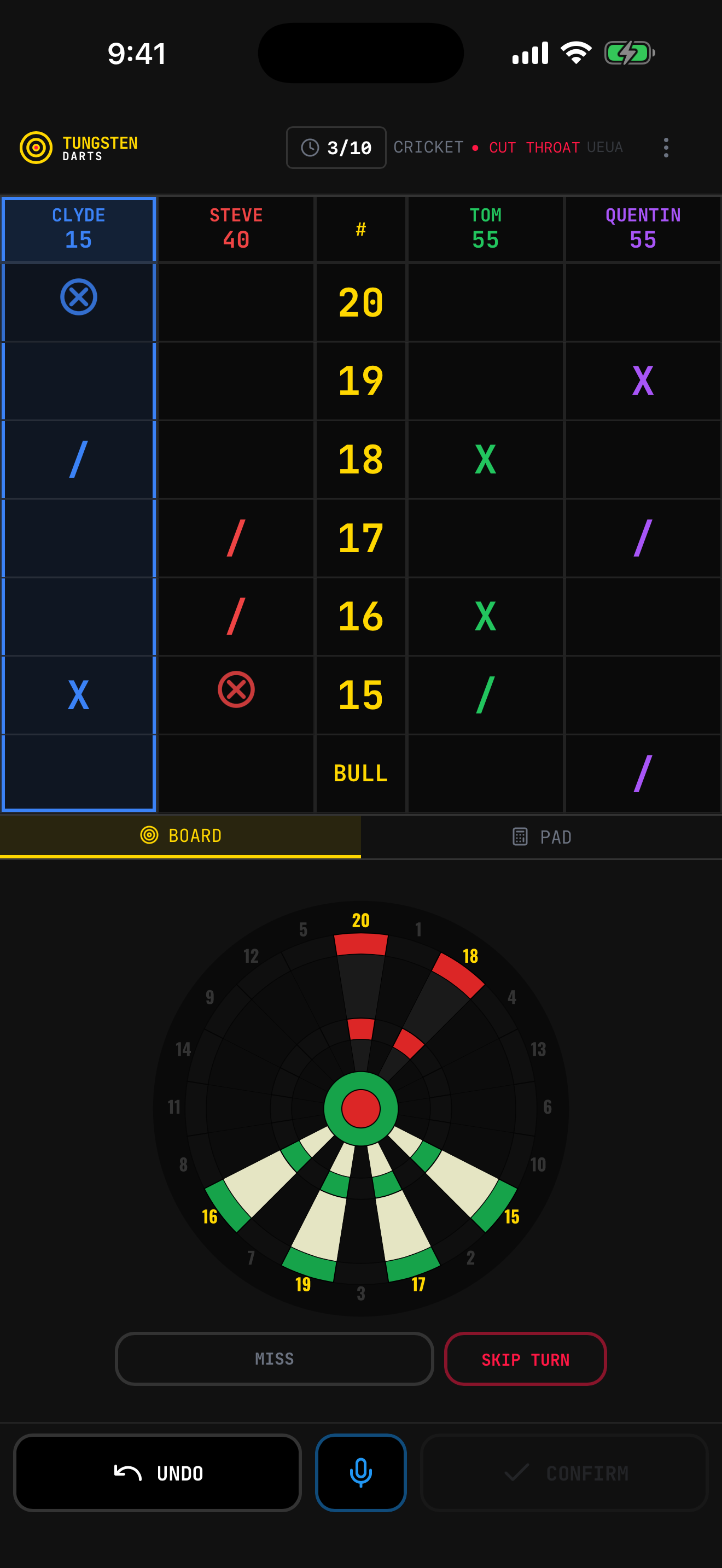
Les écrans clés de l'app sur mobile, en situation réelle.
Key app screens on mobile, in real situations.
Du classique au fun, pour tous les niveaux.
From classic to fun, for every level.
Consulte les règles détaillées de chaque mode.
Check the detailed rules for each mode.
Entraîne-toi contre 6 profils IA, un pour chaque niveau :
Practice against 6 AI profiles, one for every level:
L'IA fonctionne dans tous les modes. Ajoute autant de joueurs IA que tu veux.
AI works in all modes. Add as many AI players as you want.
Entre tes scores comme tu préfères.
Enter your scores however you prefer.
Touche la zone où ta fléchette a atterri. Appui long pour le multiplicateur (simple, double, triple). Le plus intuitif.
Tap the zone where your dart landed. Long press for the multiplier (single, double, triple). The most intuitive.
Entre le total de tes 3 fléchettes d'un coup. Rapide pour les joueurs expérimentés. Détection auto des bust en Double Out.
Enter the total of your 3 darts at once. Fast for experienced players. Auto-detects busts in Double Out.
Joue à distance avec tes amis, ou avec n'importe qui : parties publiques et partie rapide.
Play remotely with your friends, or with anyone: public games and quick play.
Dans le menu, clique sur « Créer une partie ». Tu obtiens un Code Room unique (ex: X7A9).
In the menu, click "Create Game". You get a unique Room Code (e.g., X7A9).
Partage ce code. Tes amis cliquent sur « Rejoindre » et le saisissent.
Share the code. Friends click "Join" and enter it.
Tout le monde connecté, l'hôte lance la partie. Scores synchronisés en temps réel.
Once everyone's in, the host starts. Scores sync in real time.
Sans amis connectés, les parties publiques listent les salons ouverts à tous, et la partie rapide vous place directement dans l'un d'eux.
With no friends online, public games list the rooms open to everyone, and quick play drops you straight into one of them.
Ajoute tes adversaires favoris pour les inviter plus rapidement.
Add your favorite opponents to invite them faster.
Tu joues sur le même appareil avec des amis qui n'ont pas de compte ?
Playing on the same device with friends who don't have an account?
Dans le lobby, clique sur « Ajouter un invité ». Créez un profil temporaire (ex: "Papa", "Thomas"), sauvegardé sur votre appareil. Mélangez joueurs en ligne, locaux et IA dans la même partie !
In the lobby, click "Add Guest". Create a temporary profile (e.g., "Dad", "Thomas"), saved on your device. Mix online, local and AI players in the same game!
Suis ta progression et revis tes parties.
Track your progress and relive your games.
Débloque des succès en jouant. Classés par rareté :
Unlock achievements by playing. Sorted by rarity:
Chaque mode a ses succès. Consulte ton profil pour suivre ta progression.
Each mode has its own achievements. Check your profile to track progress.
Tu t'es trompé de score ? Pas de panique.
Made a scoring mistake? No worries.
L'undo fonctionne dans tous les modes et restaure l'état complet (cibles, vies, territoires, marques Cricket, etc.).
Undo works in all modes and restores the full state (targets, lives, territories, Cricket marks, etc.).
Tungsten Darts est disponible sur toutes les plateformes.
Tungsten Darts is available on all platforms.
Sur l'App Store. App native pour iPhone et iPad.
On the App Store. Native app for iPhone and iPad.
Sur Google Play. La même app que sur iPhone, mises à jour automatiques. Pas de Google Play ? Le fichier d'installation reste disponible.
On Google Play. The same app as on iPhone, with automatic updates. No Google Play? The installation file is still available.
Ouvre app.tungstendarts.app dans votre navigateur. Installez-la en PWA pour une expérience native sur PC, Mac, partout.
Open app.tungstendarts.app in your browser. Install as a PWA for a native experience on PC, Mac, anywhere.
Installe l'app, crée ton profil et démarre en solo, avec tes amis ou contre l'IA.
Install the app, create your profile and start solo, with friends or against AI.
Oui. L'application est gratuite et sans publicité. Un pot à pourboire optionnel est proposé dans les réglages.
Yes. The app is free, with no ads. An optional tip jar is offered in the settings.
Oui. Le jeu local et l'IA fonctionnent sans connexion. Les rooms et fonctions sociales en demandent une.
Yes. Local play and AI work offline. Rooms and social features need a connection.
Oui. Le lobby combine invités locaux, amis, équipes et IA dans la même partie, selon le mode.
Yes. The lobby combines local guests, friends, teams and AI in one game, depending on the mode.
Sur iPhone et iPad via l'App Store, sur Android via Google Play, et en app web installable sur PC et Mac.
On iPhone and iPad via the App Store, on Android via Google Play, and as an installable web app on PC and Mac.